
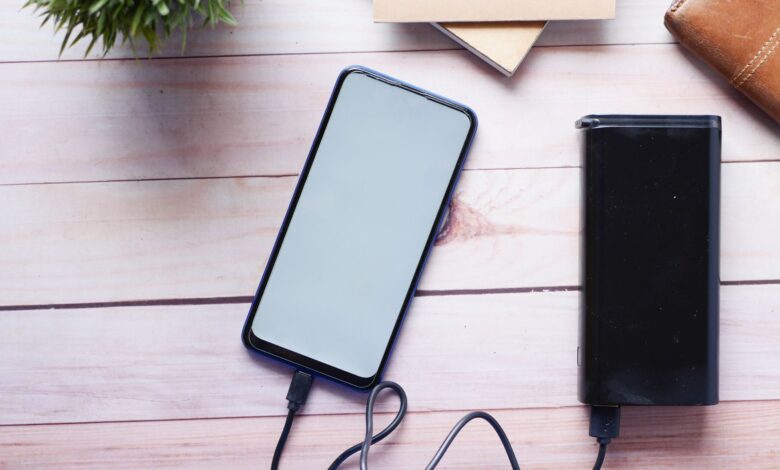
You expect 20000 on the box to mean four full charges, but it rarely does. That big number is measured at the small battery inside, not at the voltage your phone uses. Anker notes 20000mAh at 3.7V equals 74Wh and UGREEN lists 72Wh for a comparable pack, so you must convert to watt-hours to predict real charges.
Official marks prove a bank was tested, not just marketed. Even after converting to watt-hours, boosting from 3.7V to 20V loses heat and a 3A cable without a 5A marker caps laptops at about 60W. UL 2056, FCC, USB-IF Certified and IEC 62368-1 point to safe designs, and the calculator plus cable table below turns 74Wh into real charge counts.
Why does my 20000mAh power bank only charge once?
Your phone holds about 4000 to 5000mAh, so a 20000mAh bank looks like four full charges on paper. In practice you often get one full charge and a little extra before the bank is empty, and that gap feels like a defect or a fake cell.
PCWorld notes the stated 20000mAh rarely matches what reaches your device, because that number describes energy at the internal cell, not at the USB port. MakeUseOf explains mAh reflects charging at internal battery voltage that your device never directly sees and a 20000mAh pack built with 3.7V cells stores about 74 watt-hours.
Two hidden drivers cause the one-charge symptom before you even count heat. First, the bank must boost from 3.7V nominal to 5V, 9V or 20V for your phone or laptop, which costs energy as heat. Second, your phone still burns power for screen, radios and apps while it charges, so part of the incoming energy never adds to the battery.
This one-charge complaint is a common pattern in budget power bank reviews: a pack shows 80 percent on its own display yet barely finishes a single phone charge. Anker’s Wh conversion guide shows why mAh rated at 3.7V does not equal mAh delivered at 5V — the fix is calculating usable power at about 65 percent of the label and avoiding heavy device use while charging, since that use pulls straight from the same converted energy and adds to heat loss.
The diagram below breaks that loss into stages you can picture without numbers first.
Stage boxes showing cell energy 74Wh, conversion loss to heat, cable loss, and remaining energy reaching phone battery
That loss chain is why the same 20000mAh label can mean one charge for one person and nearly three for another, depending on voltage and heat.
Power bank Wh vs mAh explained at 3.7V nominal
Wh tells you total energy, mAh only tells you charge at one voltage. Watt-hour equals (mAh × volts) divided by 1000. For a 20000mAh pack at 3.7V nominal, that is (20000 × 3.7) ÷ 1000 = 74Wh.
Anker notes 1Wh equals about 270.27mAh at 3.7V and a 20000mAh bank works out to 74Wh by that math. UGREEN shows the same conversion to 74Wh and notes 100Wh translates to about 27000mAh at 3.7V, which is why airlines use 100Wh as a carry-on threshold.
Li-polymer cells in power banks are typically rated at 3.7V nominal, but USB output must be 5V, 9V, 12V, 15V or 20V to match your device. A label that only shows 20000mAh without Wh or rated capacity at 5V hides that step. Look for Wh printed near the FCC ID and safety marks, not just big mAh on the front.
In your power bank specs, look for rated capacity versus rated energy — if the label shows only mAh without Wh or rated capacity at 5V, calculate Wh yourself using (mAh × 3.7) ÷ 1000 as a first check.
The calculator below turns any mAh and voltage into Wh and shows what that means at 5V and for airline limits.
Calculator showing conversion from cell mAh at 3.7V to Wh to equivalent mAh at 5V output with airline 100Wh threshold
Every later efficiency and charge-count estimate in this guide starts from that same 74Wh figure, not from the 20000mAh number on the box.
How much energy you actually get after buck-boost and heat loss
Wh at the cell is not what reaches your phone. The bank must boost from 3.7V to 5V, 9V or 20V, and that conversion costs energy. Boost plus buck stages each run about 90 percent efficient, so a typical system lands around 83 to 90 percent before cable and phone overhead.
A widely-used correction factor for quality lithium-polymer banks is 65 to 72 percent usable at moderate temperatures, which means 74Wh real-world usable is about 48 to 53Wh. Anker states practical delivery is about 55 to 70 percent of rated mAh to devices, so 20000mAh works out to roughly 11000 to 14000mAh delivered through USB.
Monolithic Power notes PPS needs both buck and boost modes to produce 3.3V to 21V with 20mV steps and 50mA steps for efficient charging. That stepping helps keep voltage close to what the phone wants, which trims heat versus fixed 5V then 9V jumps.
A discharge test at 5V/3A, 9V/2A and 20V/3.25A, logging Wh every 60 seconds with a USB meter and thermal probe, is the clearest way to see this directly. That kind of measurement shows why a 5000mAh phone at about 19Wh gets approximately two to three charges from a true 74Wh pack, not four.
Measured Wh at different voltages, not just label mAh, is what separates a real capacity estimate from marketing math.
The experiment below shows how voltage, current and cable length change usable energy.
Illustrative comparison of buck-boost efficiency, usable Wh, and phone-equivalent charges at typical load across 5V, 9V, 15V, and 20V output tiers
Watching efficiency drop as voltage rises explains why fast laptop charging feels hotter and yields fewer phone-equivalent charges per Wh.
Why your cable and USB PD PPS negotiation can cut power even more
Conversion loss explains the base 30 to 40 percent drop, but cable and protocol explain why a 65W bank may still show slow charging on a laptop. USB PD negotiates voltage and current between bank, cable and device, and the cable’s e-marker chip is part of that handshake.
Adafruit notes every normal USB-C cable must support at least 3A up to 20V for up to 60W. Any cable supporting 5A must include an e-marker chip — without an e-marker, 20V at 3A tops out at 60W max, and with an e-marker, 20V at 5A allows up to 100W max.
That means a 3A-only cable caps a 65W bank at about 60W even if the bank advertises 100W, and the laptop may show slow charging. Multi-port use also throttles, because total wattage splits across ports.
USB PD 3.1 PPS allows 20mV steps from 3.3V to 21V for optimal efficiency versus fixed 5V, 9V, 12V, 20V steps. If PPS is missing, a phone may fall back to 5V and run hotter and slower. Monolithic Power notes PPS needs 20mV per step control to meet efficiency targets.
A bank charging a phone fine but refusing to charge a laptop is a common support pattern: the laptop needs more than the bank’s rated PD output, and no cable or setting change fixes a wattage ceiling. Checking the bank’s rated wattage and using a USB-C PD port with 65W and a 5A e-marker cable for the laptop is the actual fix, because a missing e-marker limits negotiation to 60W and missing PPS forces a fallback to 5V.
For related guidance on how charger and cable handshake limits affect both chargers and banks, see our guide on will a cheap 65W GaN charger safely charge my laptop and phone together, which covers the same PD and e-marker bottleneck.
Check cable printing for 5A 100W e-marker and use a short 0.5 to 1m cable for 65W laptop charging, and keep PPS enabled in the bank settings if available.
Brand and price tier comparison: Anker vs UGreen vs Baseus vs INIU real capacity
This section is research-based analysis from public specs and discharge logs, not a full lab review. All four sit in the 25 to 80 dollar 20000mAh tier and advertise 65W to 130W, but real usable Wh differs with conversion efficiency and cable.
The manufacturer states UGREEN 20000mAh 72Wh with TFT display, 65W recharge and 130W fast charging per listing. The manufacturer states INIU 20000mAh uses the formula rated capacity times 65 percent divided by device battery equals charges, with 30 to 40 percent lost to heat.
The manufacturer states Anker PowerCore 20000 PD as 20000mAh / 72Wh delivering over 5 charges for iPhone XS with 18W PD. Baseus Bipow 65W lists 20000mAh and 65W PD but regional listings vary on Wh, so check bottom label.
Pros and cons for kitchen and travel use in this tier:
Anker PowerCore 20000 PD — Pros: consistent 72Wh labeling, good efficiency around 60 to 70 percent usable, strong safety documentation. Cons: premium price for same Wh, no built-in cable on some versions. Reason not to buy: if you need 100W laptop output, this 18W to 30W tier is too slow.
UGreen Nexode 20000mAh 130W — Pros: 72Wh with clear display, 65W recharge, 130W total with two ports. Cons: larger and heavier, runs warm at 65W sustained. Reason not to buy: if you want pocketable size, 130W banks are brick-like.
Baseus Bipow 65W — Pros: often cheapest 65W 20000mAh, built-in cable on some SKUs. Cons: mixed user reports on capacity retention after months, less clear UL mark on some imports. Reason not to buy: if UL 2056 and USB-IF TID proof is top priority, documentation is thinner.
INIU 20000mAh 65W — Pros: compact, 65W PD with display, clear 65 percent usable formula in listing. Cons: efficiency at 20V can drop to low 80s, cable included is often 3A only. Reason not to buy: if you need guaranteed 5A e-marker cable in box, you must buy cable separately.
A non-affiliate option that is genuinely superior for safety proof is any bank that shows FCC ID, UL 2056, USB-IF TID and IEC 62368-1 on box and verifiable in databases, even if it costs a few dollars more than the cheapest 20000mAh. That paper trail matters more than an extra 10W on the label.
| Model | Rated Wh / rated at 5V | Pros and cons |
|---|---|---|
| Anker PowerCore 20000 PD | 72 to 74Wh / about 12000-13000mAh at 5V | Pros: clear Wh, 55-70 percent usable. Cons: lower wattage, higher price. |
| UGreen Nexode 20000mAh 130W | 72Wh / about 13000mAh at 5V per listing | Pros: 65W recharge, 130W total. Cons: bulk, heat at 65W. |
| Baseus Bipow 65W | 74Wh claimed / about 12000mAh at 5V | Pros: cheap 65W. Cons: variable certification docs. |
| INIU 20000mAh 65W | 74Wh claimed / 65 percent formula | Pros: compact, formula printed. Cons: included cable often 3A only. |
For power bank UL 2056 safety, prefer listings that show UL mark and FCC ID photos, not just rendered marketing images.
How to verify a safe power bank: FCC, UL 2056, USB-IF, and IEC 62368-1 label check
Capacity variance is one risk, unsafe packs are another. Four marks give you a quick filter before you buy.
UL 2056 covers power banks sometimes known as portable USB chargers for overcharge, discharge, short-circuit, overload, drop and thermal safety. UL 2056 verifies safety protections were tested, it does not guarantee longer battery life or faster charging. ECQA notes IEC 62368-1 is principal international safety standard for audio video IT and communication equipment and UL 2056 is key certification. IEC 62368-1 covers hazard-based safety for this equipment class, not waterproofing or drop proofing beyond lab tests.
FCC ID 2BGYR-TQ-PB07 shows equipment class Power Bank. FCC equipment authorization confirms a device meets US radio-frequency emissions limits, it says nothing about build quality, battery life or how long the device will last. USB-IF certification checks that USB PD and PPS implementation follows the spec, which helps avoid fallback to 5V, but it does not certify Wh accuracy.
Before committing, check bottom label for FCC ID and UL 2056 mark and verify on official FCC ID search and UL Product iQ database and USB-IF certified product list — ensures protections were tested. Open the device and check that Wh, nominal voltage and rated capacity at 5V are printed together.
Do not buy banks with no FCC ID, no Wh, and no brand address. Avoid charging with a damaged cable, storing above 45 degrees, or puncturing during teardown. For teardown cell marking photo, follow manufacturer manual with proper PPE and do not open sealed pack without training, which can cause swelling, fire or void warranty.
True capacity calculator and cable compatibility table
This section delivers the practical tool you asked for. Use Wh, not mAh, to predict charges, then check cable e-marker to avoid a 60W cap.
This rubric is a self-authored practical evaluation tool built from the mechanisms above for buying-decision use, not a published industry standard. Use it as a quick in-store check. It estimates usable Wh from rated Wh and efficiency, not a certified lab measurement.
Step 1: Calculate usable watt-hours
Take rated mAh times nominal voltage divided by 1000 to get Wh. Multiply Wh by efficiency factor — INIU notes 65 percent after heat loss and Anker notes 55 to 70 percent delivered. For 20000mAh at 3.7V, 74Wh times 0.65 equals about 48Wh usable, which is about two to three charges for a 15Wh phone.
Step 2: Check cable e-marker and length
Look at cable printing for 5A 100W or 5A 240W and e-marker mention. A 3A cable without e-marker limits to 60W, a 5A 100W cable allows 100W, a 5A 240W cable allows up to 240W with EPR devices. Shorter 0.5 to 1m cables lose less energy as heat than 2m cables.
Step 3: Map to charges and bottleneck warning
Divide usable Wh by device battery Wh — phone about 15Wh, tablet about 30Wh, laptop about 50Wh — to get charge counts. If cable is 3A only and laptop needs 65W, flag bottleneck. If PPS missing, expect fallback to 5V and more heat.
| Cable marking | Max power | 65W laptop result |
|---|---|---|
| 3A no e-marker, 1m | 60W max | Caps at 60W, may show slow charging |
| 5A 100W e-marker, 1m | 100W max | Full 65W negotiates, PPS optimal |
| 5A 240W e-marker, 0.5m | 240W max EPR | Full 65W plus future proof, lowest loss |
| Input | Example value | Output |
|---|---|---|
| Rated mAh and voltage | 20000mAh at 3.7V | 74Wh total |
| Efficiency 60-90 percent, default 65 percent | 0.65 factor | 48Wh usable, about 11000mAh at 5V |
| Device battery | Phone 4000mAh about 15Wh | 48 divided by 15 equals about 3.2 charges, minus phone use while charging |
Try this before you buy: plug bank into USB meter at 5V and 20V and compare Wh shown to label 74Wh — if below 48Wh usable, efficiency is poor and you should pick another bank with clearer certification.
Final verdict
20000mAh at 3.7V equals about 74Wh, but boosting to 5V to 20V plus heat and cable loss leaves approximately 60 percent usable, so one to two full phone charges is normal, not a fake. Convert to Wh, apply 65 percent usable, and verify 5A e-marker and PPS support plus FCC, UL 2056 and USB-IF marks. Do that and you can predict real charges and skip over-marketed or unsafe banks that die after one.
Frequently asked questions
Is a 20000mAh power bank actually 20000mAh or is it fake?
Rated 20000mAh at 3.7V equals about 74Wh, but only about 11000 to 14000mAh reaches your phone at 5V. Anker notes 55 to 70 percent, and 65 to 72 percent usable is typical across quality lithium-polymer packs, so verify Wh and a 5V/3A log.
Will a 3A USB-C cable limit my 65W power bank to 60W for laptops?
Yes, a 3A cable without 5A e-marker limits negotiation to 20V times 3A equals 60W max. Adafruit notes the same 60W limit, and a cable with a proper e-marker chip allows up to 100W, so use a short 5A 100W cable with PPS.
How do I check if a power bank is UL 2056 and USB-IF certified before buying?
Check label for FCC ID and search FCC database, verify UL 2056 mark on UL Product iQ, and check USB-IF TID on usb.org. UL 2056 covers overcharge safety and IEC 62368-1 is principal safety standard, so skip banks without marks.
Does fast charging at 65W make my power bank lose more capacity than 5W slow charging?
Yes, higher wattage raises switching loss and heat, so efficiency drops from about 90 percent at 5V/3A to about 83 to 85 percent at 20V/3.25A. PPS uses 20mV steps to pick the most efficient voltage, so use PPS and keep the bank cool to cut loss while still charging fast.
